- 2025 年 2 月 15 日
如何更改电子邮件或密码
- 疗愈智慧
- 支持指南
以下是更改与学院平台账户相关的电子邮件或密码的方法。
Step 1: Log in to your account at portal.healingwisdom.com/login.
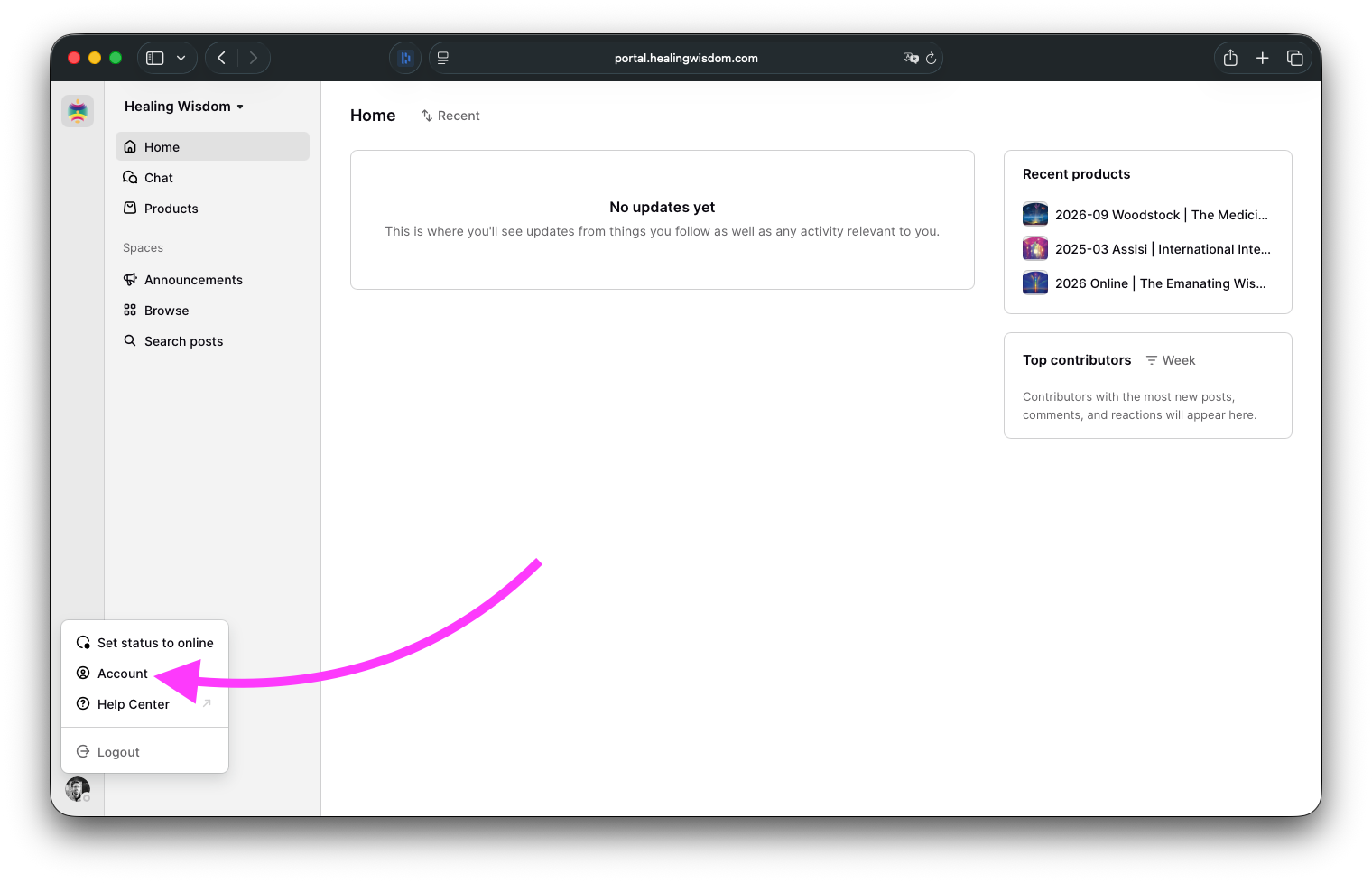
Step 2: After you've logged in, click on your profile picture at the bottom left and select Account.
更改电子邮件地址
Click on Edit next to Email.
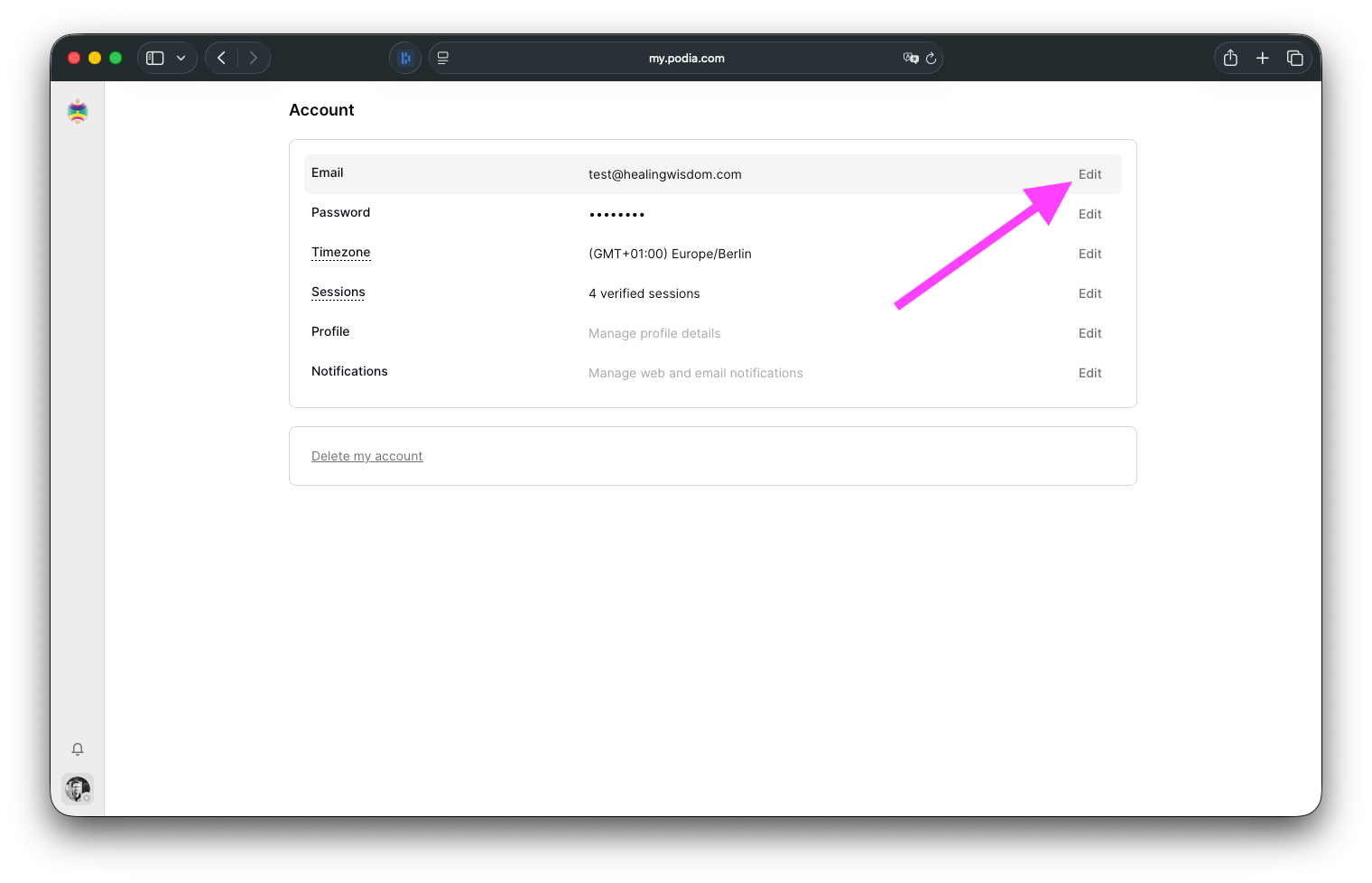
Update the field with the email address you'd like to use and hit Save to save your changes.ㅤ
更改密码
单击密码旁边的编辑。
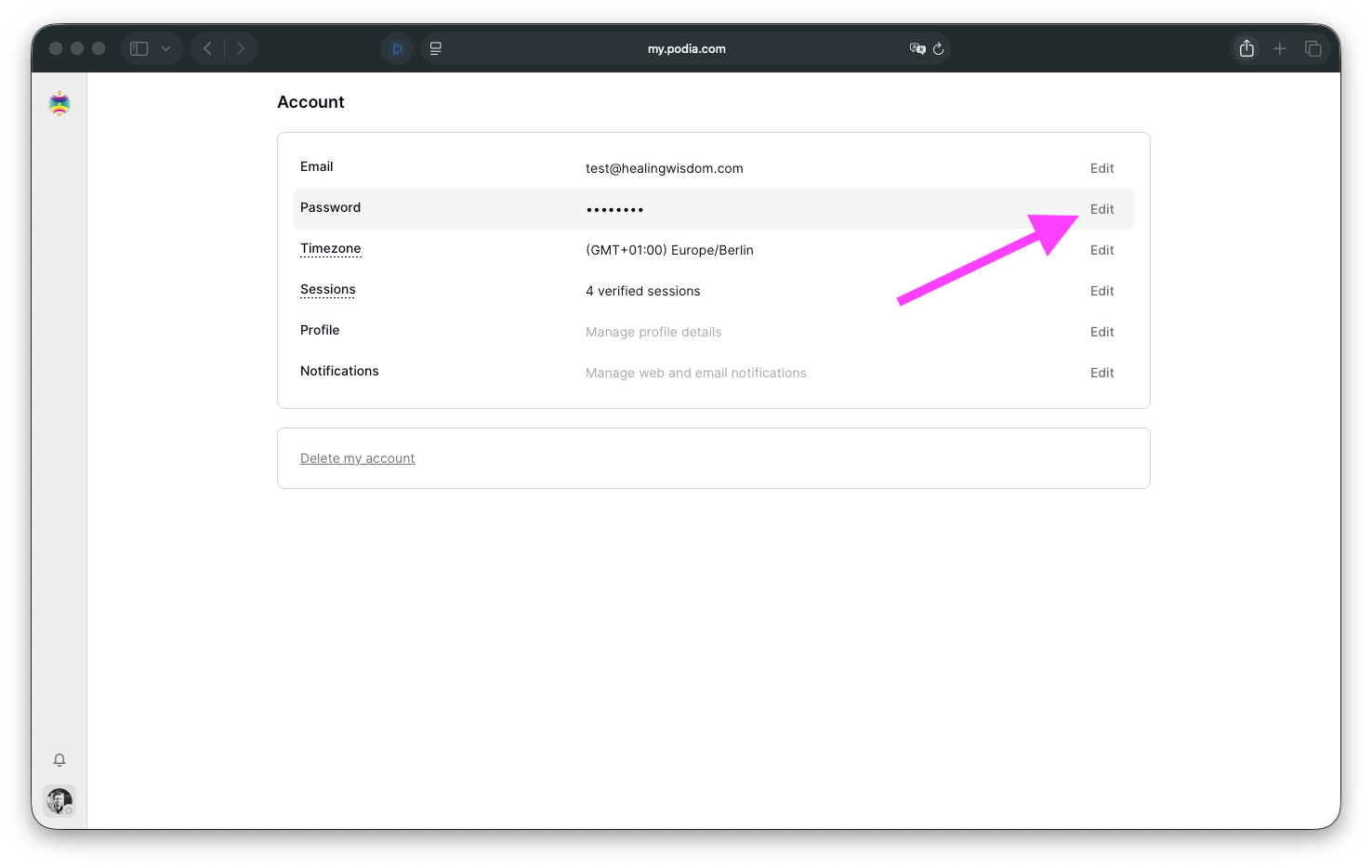
输入您的当前密码和要用于账户的新密码。
点击 "保存 "保存更改。
如有任何问题,请发送电子邮件至portal@healingwisdom.com。